Skip to main content
CSipSimple configuration on Android
Leonid Karlinskiy
CSipSimple configuration on Android
- You need to have an active account with us before configuration.
- Application CSipSimple it self may be downloaded in Android market:
 Click Add new account and select "Basic" configuration type

- Check your Device credentials:
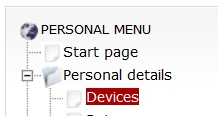
- Enter next data:
- Account name: AusPhone
- User: you User Name from MY ACCOUNT > Personal details > Devices
- Server: sip.australianphone.com.au
- Password: your password from MY ACCOUNT > Personal details > Devices

- Example of Username/Password from SIP/IAX page under MY ACCOUNT.

- Configure to use CSipSimple over 3G if you wish to stay connected all time independent on WiFi networks.

- Verify that your account is "green". Application is ready to make calls.

- Make a test call to 09002 free number to check your sound.

Comments
0 comments
Please sign in to leave a comment.